Browser
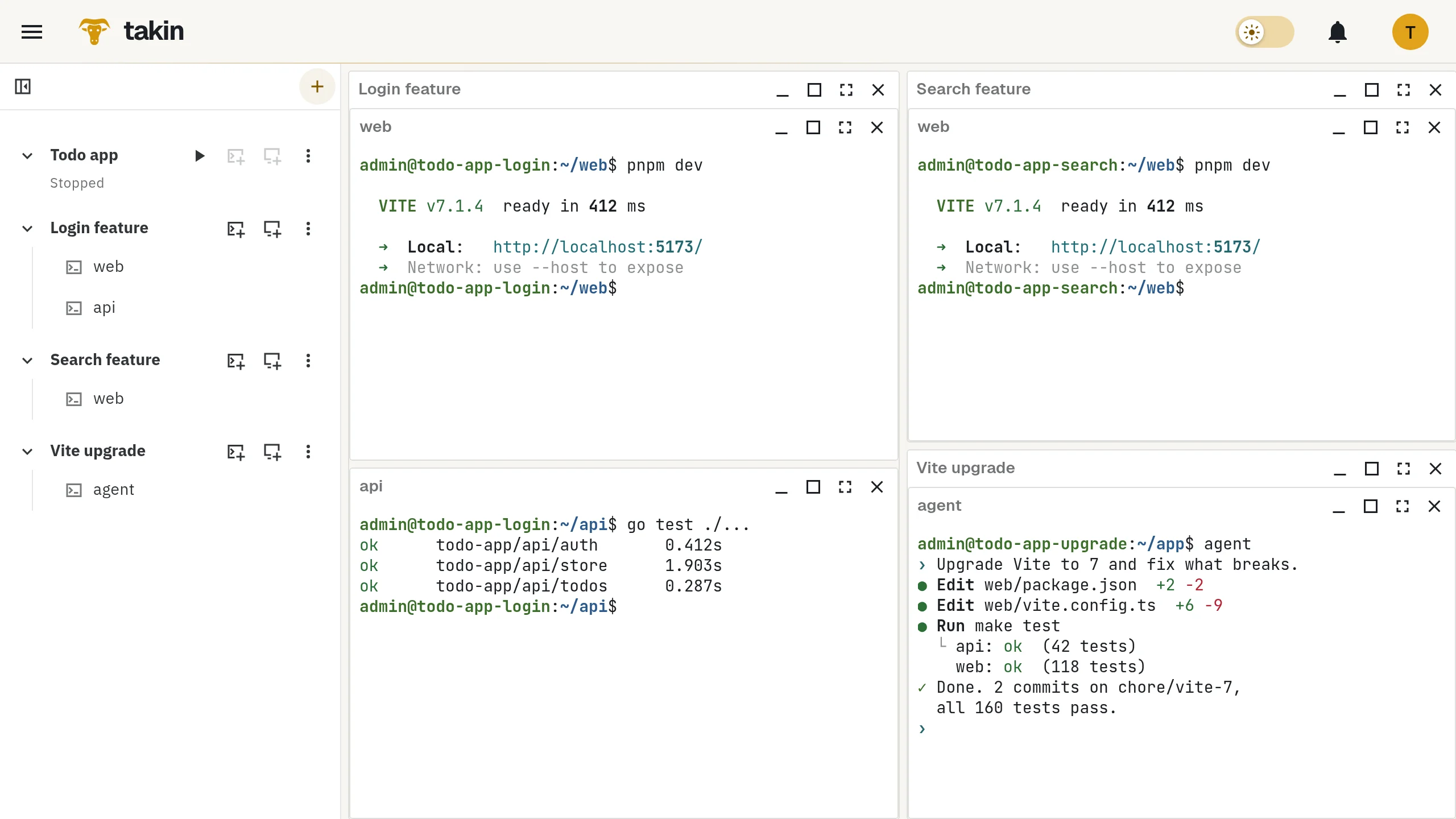
Tiled terminals and full graphical desktops, across several environments side by side.
TerminalsGNOMEKDE Plasma
Repositories, toolchains, databases and running services on one Linux machine in the cloud. Clone all of it for every feature you work on.
Clones
A git worktree gives you a second checkout of one repository. A Takin clone gives you a second copy of everything: every repository, the database with its data, installed dependencies, build caches and service configuration. Clones are copy-on-write, so a new one is up and running in under half a minute, most of it spent booting.
Each clone is its own machine with its own ports. Run the complete stack in three clones at once, on the same ports, without conflicts. Work on a feature that touches backend, frontend and schema in one place, while another feature progresses next to it.
Prepare your system once, take a snapshot, and start every new task from there.
WorkflowDevelop features across your whole stackContinuity
Shells, builds and agents run on the remote machine, not in your browser.
Run a build, a test suite or a coding agent in each clone.
Close the tab or the laptop. Processes keep running on the machine.
Come back from another computer, or over SSH, to the same sessions and windows.
Ways in
Tiled terminals and full graphical desktops, across several environments side by side.
Your terminal, your key, the same sessions, plus scp and SFTP.
AI clients create environments, run commands and transfer files.
Open a dev server from any clone in your browser, at a private HTTPS address with hot reload.
Takin is built around complete, long-lived Linux machines rather than single repositories. Each environment has its own kernel, sudo, Docker and optional desktop, holds as many repositories and services as your project needs, and can be cloned as a whole. Sessions survive disconnecting and are reachable from the browser, SSH and MCP alike.
It keeps running while there is real activity, including silent builds and agents. After a longer period without activity it stops on its own. Stopping keeps the disk and ends running processes; the next start boots the same machine.
A clone copies disks, not running processes, and it does not create or sync git branches. You branch inside each clone as usual. Snapshots and clones stay on the same service and do not replace an off-site backup.
Environments, snapshots and previews belong to your account and need your sign-in. Each environment is its own KVM virtual machine with its own kernel. The service operator runs the host.
Takin is currently a free test service. Sign in with a verified email address and request access. Account limits and available capacity apply.