Run parallel coding agents
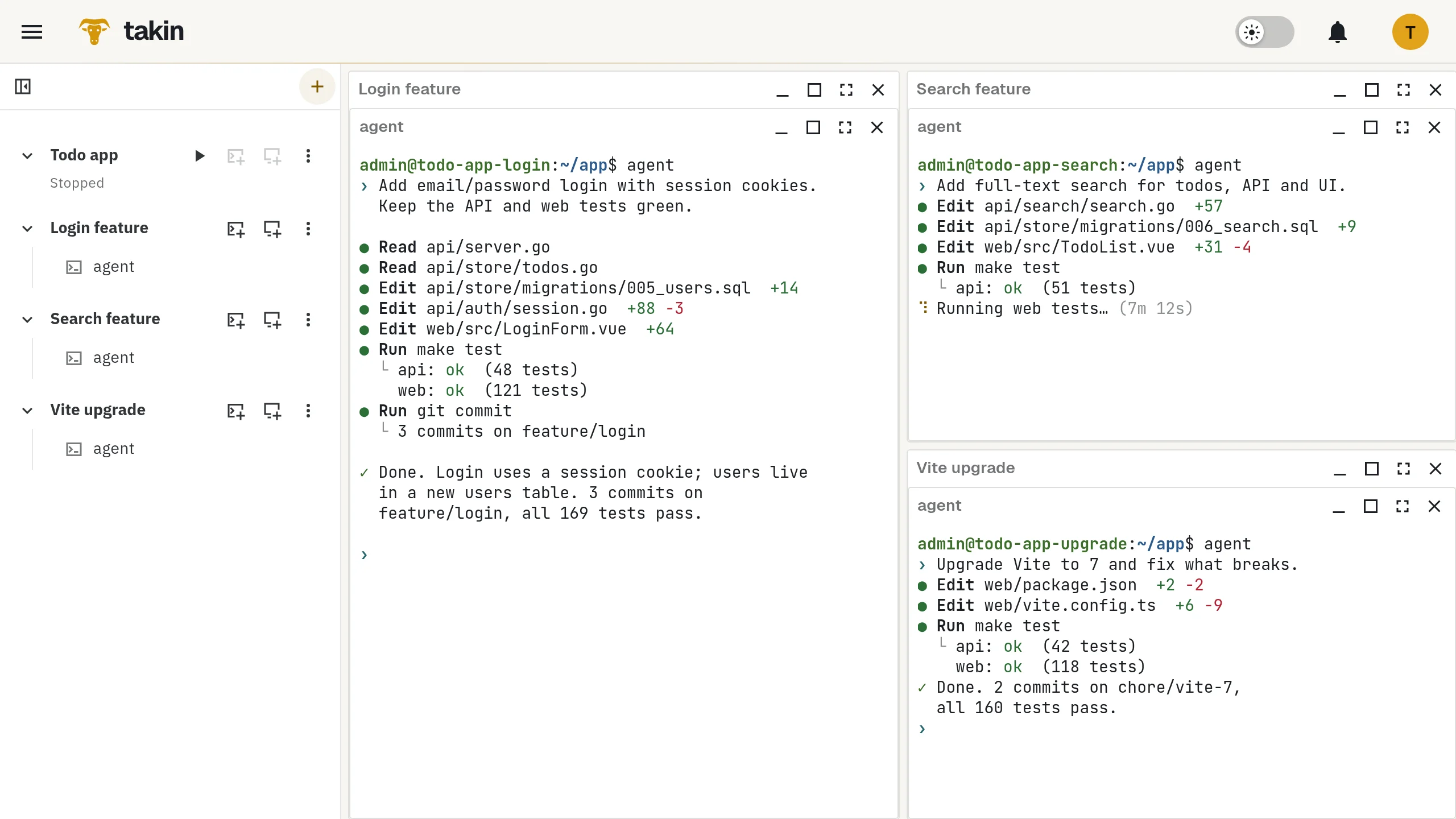
Give every agent its own copy of your whole stack. Let them work while you are away, and review the results when you are back.
One laptop, one checkout, one agent at a time.
Agents are fast, but on one computer they share the same working copy, the same ports and the same database. Two of them running tests at once get in each other's way. And when you close the laptop, they stop.
How it works
- 01
Prepare once
Set up your project with its repositories, database and the agents you use, such as Claude Code, Codex, OpenCode, Gemini CLI or Copilot CLI. Take a snapshot.
- 02
One clone per task
Clone the baseline for each task, say login, search and a dependency upgrade. Every clone runs the full stack on its own ports, so test runs and dev servers never collide.
- 03
Start and leave
Start an agent in a terminal of each clone, give it its task, and close the browser. The agents keep working on the remote machines.
- 04
Review
Back at any computer, open the clones side by side. Read the diff, run the tests, open each dev server as a private preview, and push the branch you want to keep.
Parallel work on a complex system, without tying up your own computer.
Good to know
- An environment stops after a longer period without activity. A working agent counts as activity; an agent waiting hours for your answer does not.
- Takin does not assign tasks, merge results or tell you when an agent is done. You stay in charge of each clone.
- Every clone uses its share of your account's CPU, memory and storage limits.
- Prefer an AI client on your own computer? Connect it over MCP to create environments, run commands and transfer files. That client then stops when your computer does.